Salesforce holds roughly 21% of the global CRM market, making it the world’s #1 CRM provider by a wide margin.
It’s the engine that large revenue organisations run on. But alone, it is only a system of records and processes. The integrations you choose around it determine how smoothly your global teams collaborate, how quickly deals progress, and how visible your pipeline really is.
Below are the 12 most powerful, enterprise‑ready Salesforce integrations, each evaluated for strategic value, pricing posture, and where it fits in large revenue stacks. Every entry includes pros, high‑level pricing ranges, and a short “cons” section from an enterprise perspective.
Top 12 integrations summary table
| Tool | What It Actually Does | Best For | Pricing |
|---|---|---|---|
| Qwilr | Turns Salesforce data into polished, interactive proposals and digital sales rooms that close deals faster. | Enterprise sales teams needing governed, scalable proposal automation. | $35–$59/user/month; enterprise custom pricing |
| Slack | Converts Salesforce events into real-time collaboration, keeping global teams aligned and informed. | Enterprises wanting seamless cross-team communication around pipeline events. | $4–$15/user/month; Enterprise Grid custom pricing |
| Tableau | Turns Salesforce data into advanced analytics dashboards for insights that drive decisions. | Executives and RevOps teams requiring enterprise-grade reporting and visualization. | $35–$115/user/month for Creator; enterprise custom pricing |
| Salesforce CPQ | Combines structured pricing and quoting with interactive, buyer-friendly proposals. | Enterprises needing consistent pricing logic and elevated buyer experience. | Salesforce CPQ custom enterprise pricing |
| Outreach | Automates multi-touch engagement while logging every action into Salesforce. | High-volume enterprise SDR/BDR teams optimizing outbound efficiency. | $100–$145/user/month; enterprise custom pricing |
| LinkedIn Sales Navigator | Brings LinkedIn prospect intelligence directly into Salesforce, revealing opportunities and connections. | Enterprises using ABM or complex account strategies. | $100–$150/user/month; enterprise integration included |
| Docusign | Captures signatures and contract approvals seamlessly within Salesforce. | Enterprises with regulated contracts and multi-stage approvals. | $15–$35/user/month; enterprise custom pricing |
| Seismic | Delivers intelligent, context-aware content to sellers inside Salesforce. | Enterprises with global sales teams and strict content governance. | Enterprise custom pricing |
| Jira | Syncs issues and workflows across engineering and sales for operational visibility. | Enterprises needing alignment between sales, service, and product teams. | Enterprise custom pricing |
| Gong | Converts conversation data into actionable insights, tied to pipeline and forecast. | Enterprise sales teams requiring data-driven forecasting and coaching. | Enterprise custom pricing |
| Snowflake | Centralizes Salesforce data into a governed warehouse for analytics, AI, and reporting. | Enterprises building unified data lakes and advanced BI strategies. | $2–4/user/month; Virtual Private option |
| ServiceNow | Aligns customer service and post-sale operations with CRM data for full lifecycle visibility. | Enterprises managing complex support and onboarding processes. | Enterprise custom pricing |
*Pricing as of December 2025
1. Qwilr
Enterprise proposal automation, digital sales rooms, and buyer engagement
Overview
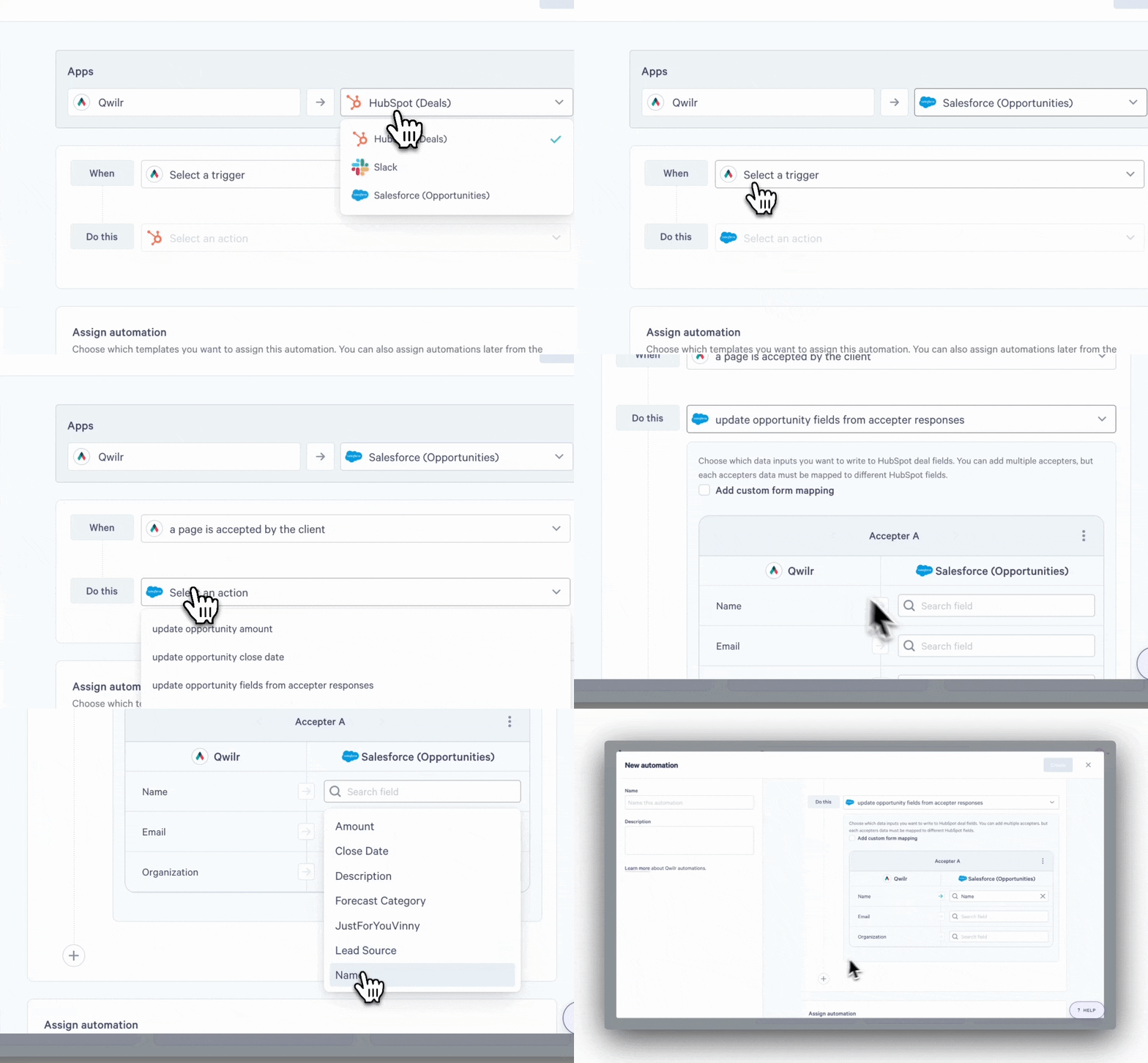
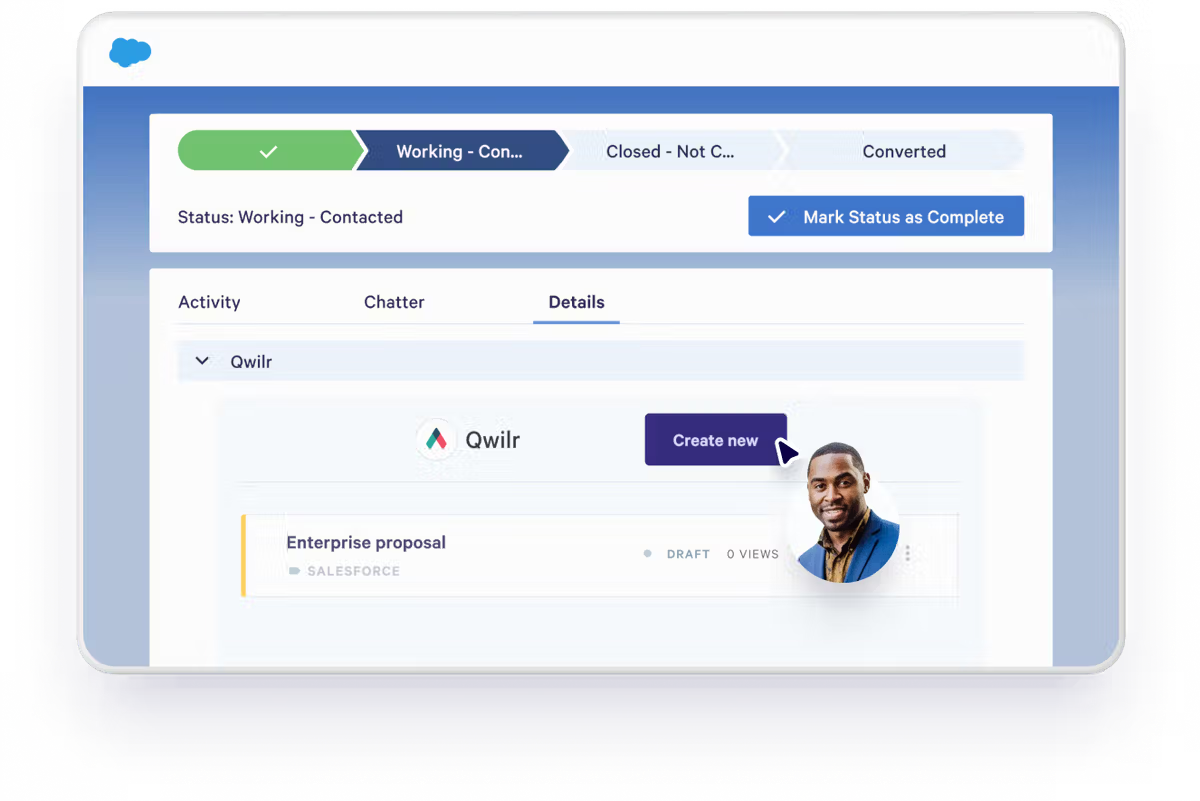
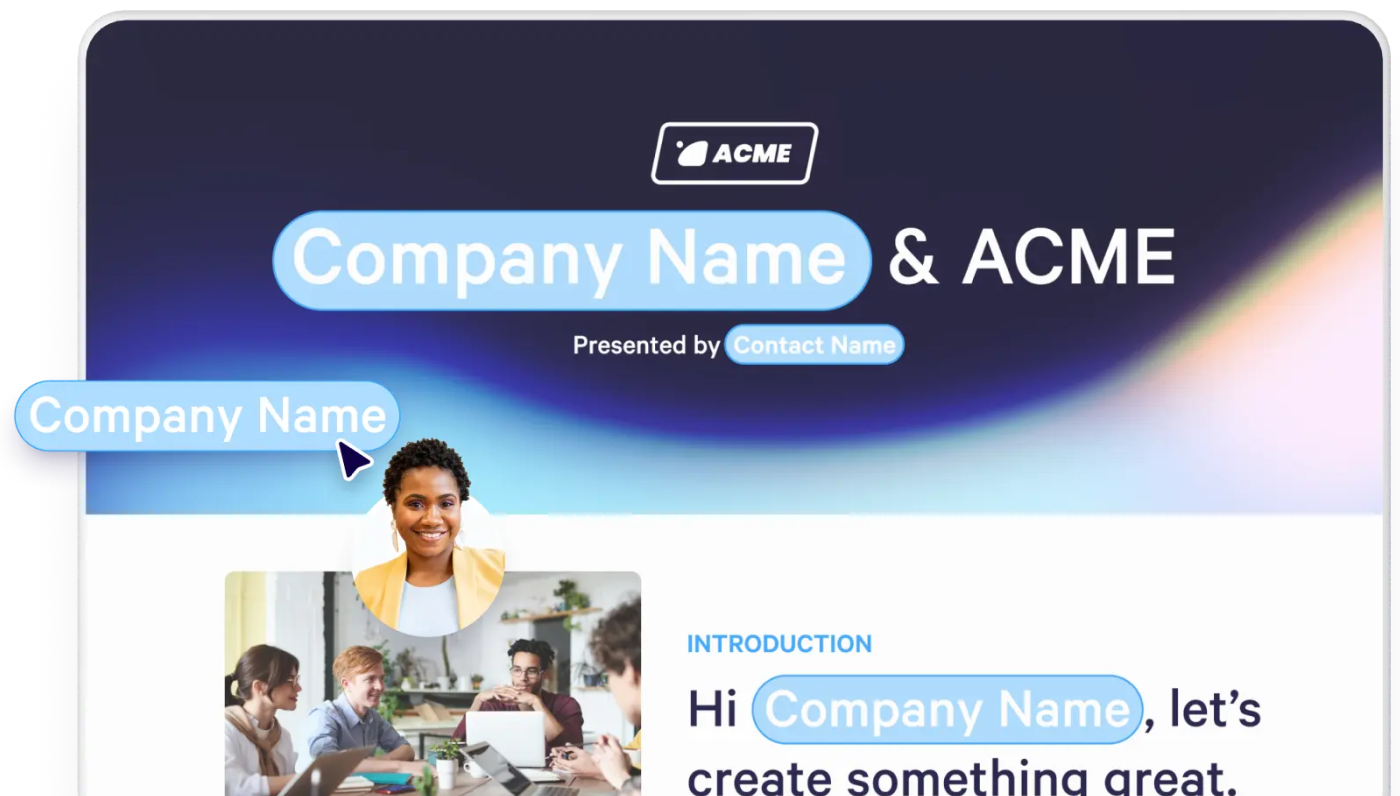
For enterprise revenue teams, the toughest gap in Salesforce isn’t pipeline capture; it’s execution. This is where Qwilr shines. Embedded directly into Salesforce, Qwilr lets reps auto‑generate proposals and sales collateral from Opportunity, Account, Contact, or custom object data. These aren’t your basic, boring static PDFs, they are web-based, interactive and mobile‑friendly documents that:
- populate automatically with Salesforce pricing, product, and account data
- enforce global brand and legal governance through reusable blocks and templates
- track buyer engagement signals (views, time spent, section interaction) back into Salesforce
- support digital signatures and embedded payments (via QwilrPay)
- link pricing logic with Salesforce CPQ for complex quoting environments
Enterprise RevOps uses Qwilr to eliminate manual document creation, enforce pricing consistency, and inject real buyer intent signals into forecasting. It supports role‑based permissions, single sign‑on (SSO), audit logs, and regional compliance requirements.
With Qwilr, Salesforce becomes a deal execution engine, not just a CRM.
Key enterprise benefits
- Automated, Salesforce‑native proposal creation with template governance
- Real‑time buyer analytics feeding Salesforce Opportunity fields
- Support for complex pricing and CPQ workflows
- Embedded eSignature and payment options tied to revenue processes
Pricing (broad range)
Starts around $35–$59/user/month for business and enterprise tiers.
Cons
Because Qwilr is highly configurable, initial setup and templating can require RevOps and marketing coordination to ensure governance and consistency.
2. Slack
Collaboration, alerts, and cross‑team visibility
Overview
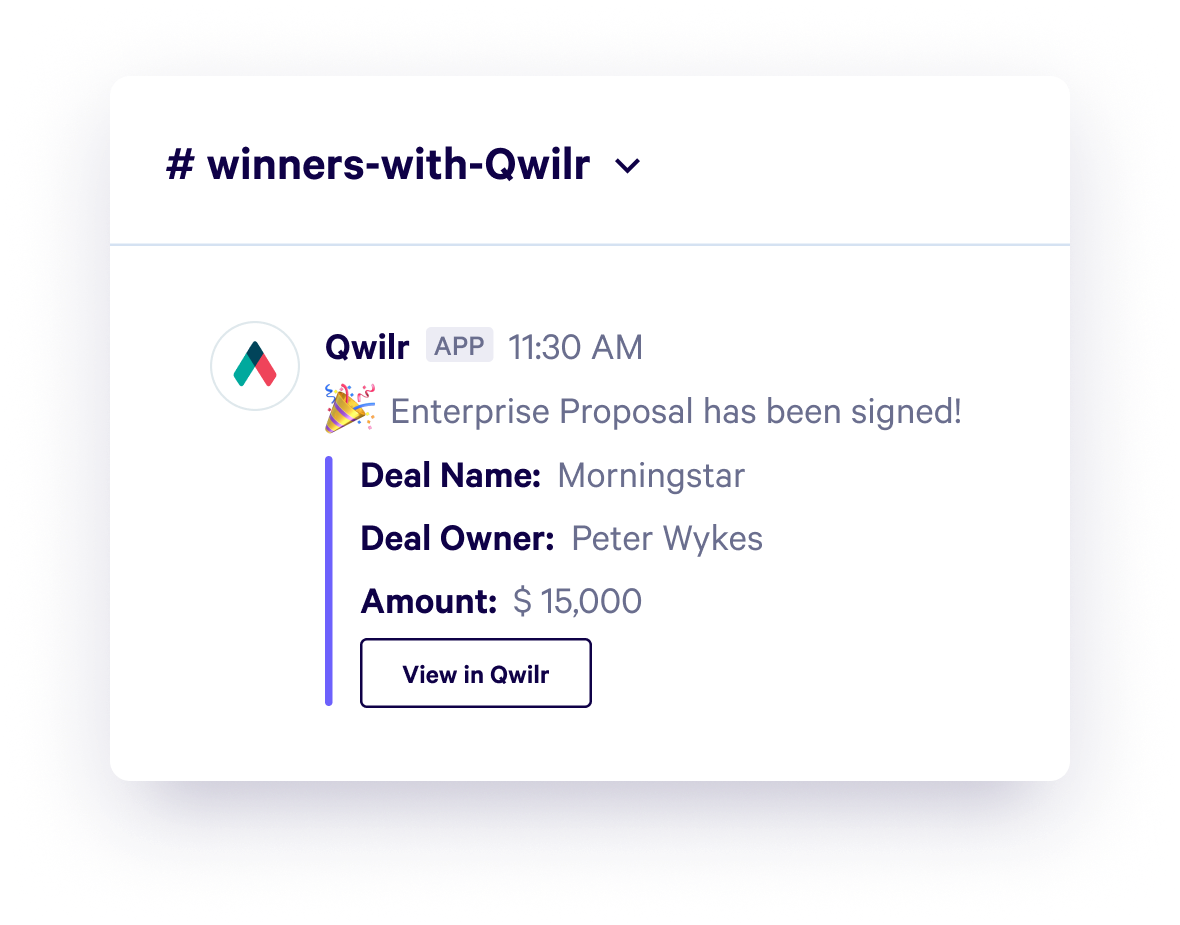
Slack’s Salesforce integration turns CRM events into real‑time conversations and notifications. Instead of pulling CRM reports or waiting for daily emails, enterprise teams get automated alerts for pipeline changes, closed‑won deals, forecast updates, or customer escalations directly in designated channels. Cross‑functional teams can collaborate on opportunities, coordinate with legal/finance, and execute escalations faster, all without leaving Slack.
Slack becomes the coordination layer that turns Salesforce data into organisational action. By centralising alerts, teams reduce context switching and increase responsiveness on complex enterprise deals.
Key enterprise benefits
- Real‑time alerts for key Salesforce events
- Centralised cross‑team collaboration on accounts and pipeline
- Reduces manual status updates and email threads
Pricing (broad range)
Slack’s enterprise tier typically runs $4–$15/user/month, with Enterprise Grid custom pricing for large organisations.
Cons
With noisy alerts, teams must design sensible notification rules to avoid information overload.
3. Tableau
Advanced viz, BI, and executive dashboards
Overview
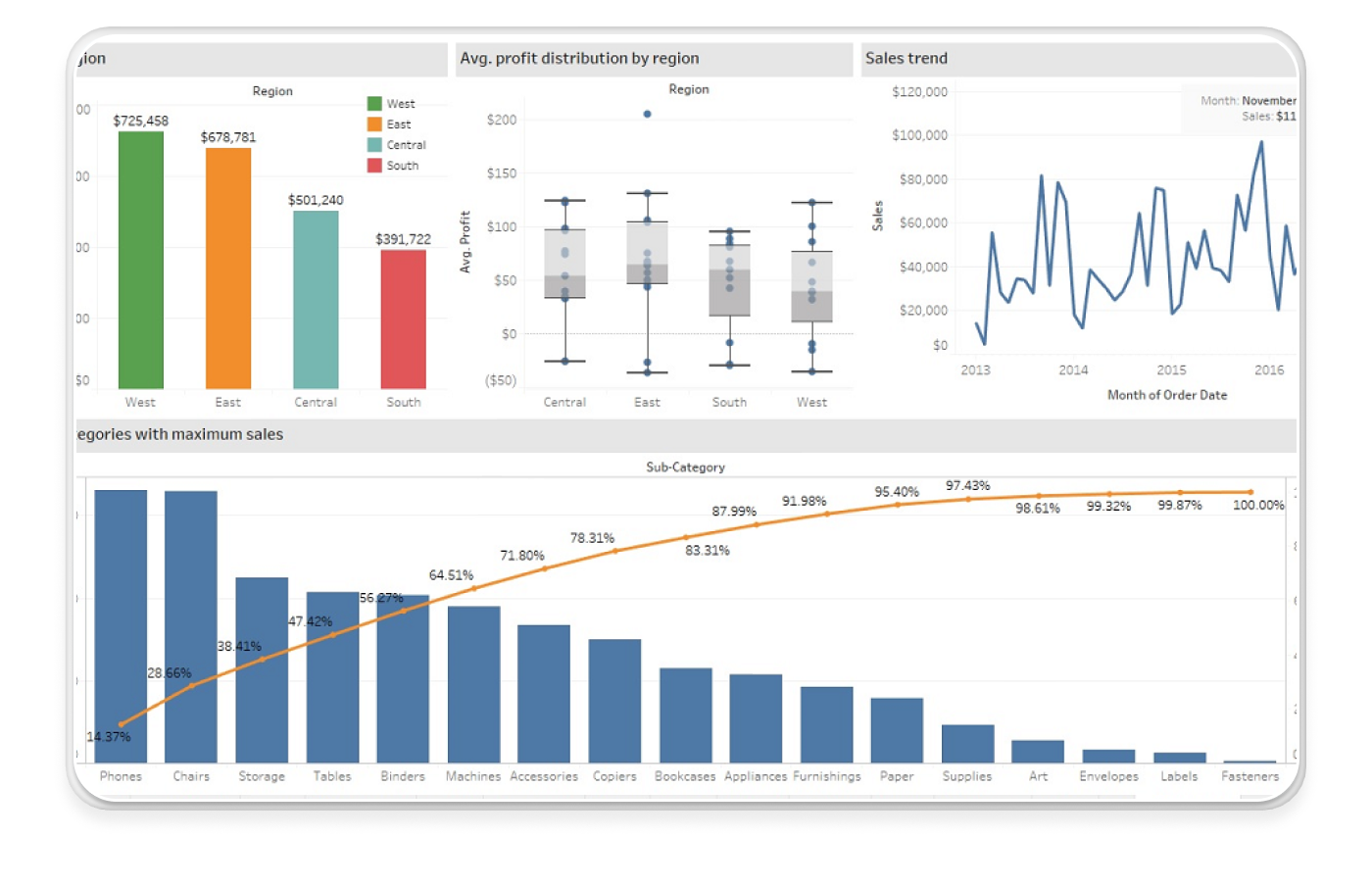
Tableau takes Salesforce data far beyond native reporting, enabling enterprise analysts to build multi‑source dashboards covering revenue trends, territory performance, product adoption, and cross‑functional analytics. When embedded in Salesforce pages or shared externally, visuals become a primary decision‑making layer for executives and RevOps teams alike.
Unlike native reports, Tableau blends Salesforce CRM data with financial, usage, marketing, or operational datasets - giving leaders a unified view of enterprise performance. Predictive models and what‑if scenarios deliver deeper insights into forecast health and pipeline quality.
Key enterprise benefits
- Enterprise‑grade visual analytics and predictive modelling
- Embeddable dashboards across Salesforce
- Supports multi‑system data blending
Pricing (broad range)
Tableau Creator licenses often start around $35–$115/user/month; Viewer/Explorer tiers and enterprise bundles vary.
Cons
Enterprise deployments require strong governance to maintain consistent metrics and avoid fragmented dashboards.
4. Salesforce CPQ
Governed pricing logic meets polished buyer experience
Overview
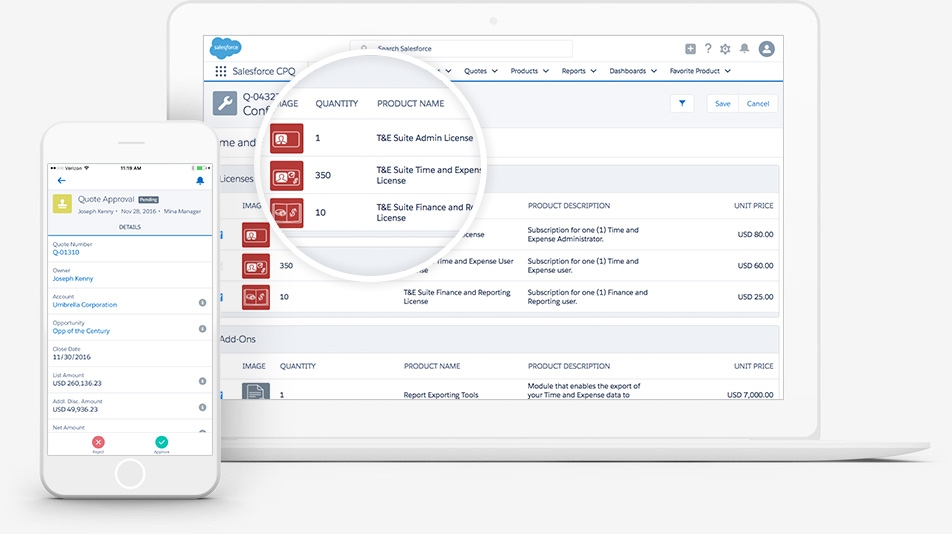
Salesforce CPQ is the native quoting backbone for enterprise teams: handling configuration rules, discounting workflows, approvals, and pricing governance.
While CPQ is powerful, its output is often a static quote document that isn’t engaging for buyers. That’s where pairing it with Qwilr adds strategic value: Qwilr takes CPQ’s structured output and presents it in an interactive, branded format that buyers can explore, share, and sign.
This seamless linkage between CPQ and Qwilr bridges the internal governance of pricing with the external experience of the buyer, enabling enterprise teams to maintain control while improving clarity and conversion.
Key enterprise benefits
- Maintains structured pricing logic while elevating buyer experience
- Reduces cycle times with consistent quoting and approval workflows
- Strengthens alignment between RevOps and sales
Pricing (broad range)
Salesforce CPQ is typically add‑on priced to Sales Cloud and varies significantly; enterprise quotes are custom.
Cons
Because CPQ operates as a separate module from the core Salesforce CRM, governance, administration, and change management often require coordinated oversight across multiple teams.
5. Outreach
Automated engagement and activity capture
Overview
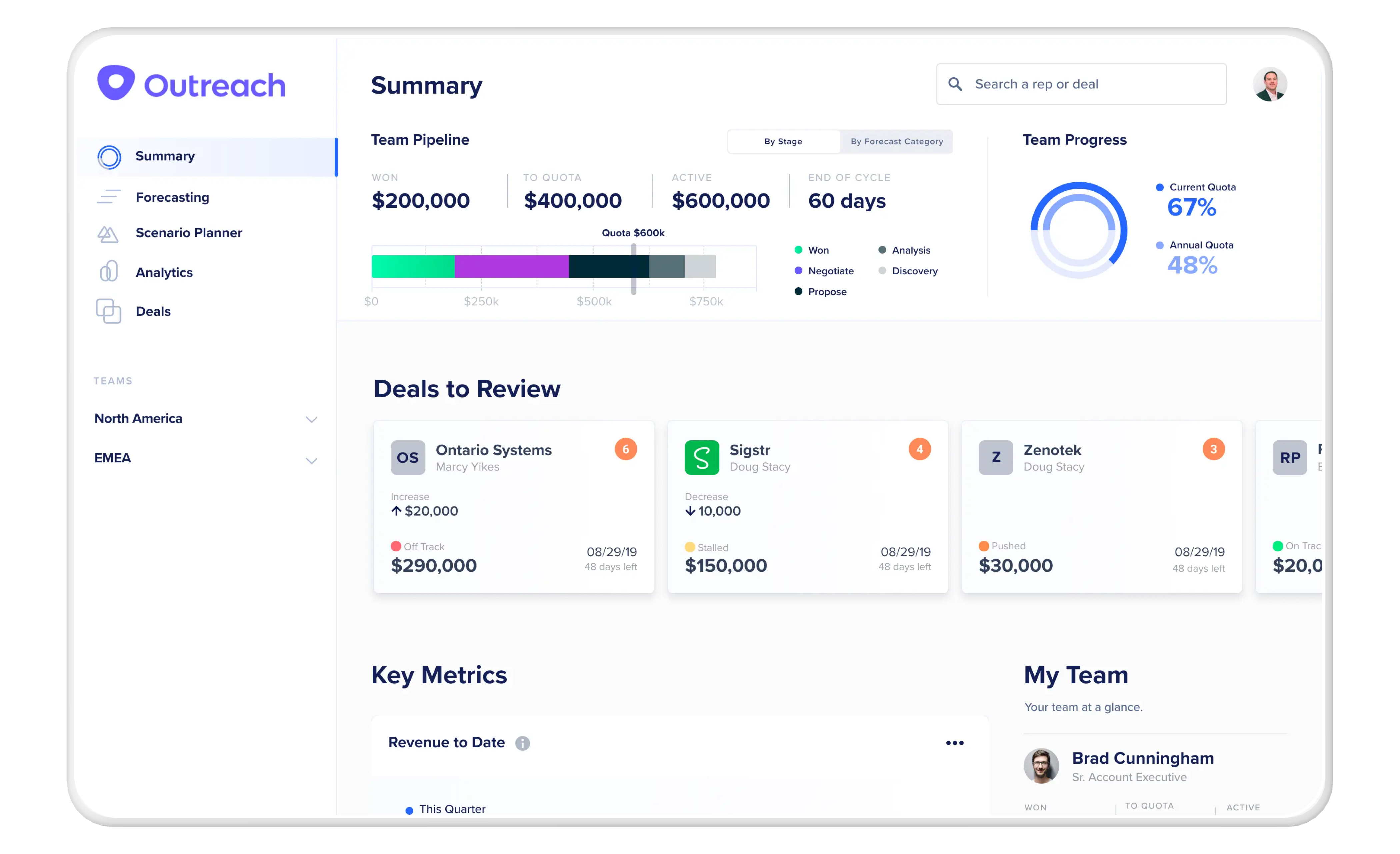
Outreach automates multi‑touch outreach - email, calls, tasks - while keeping Salesforce at the centre of truth. For enterprise SDR and sales teams, this integration ensures that every engagement is captured as a logged activity in Salesforce, preserving pipeline hygiene and compliance without manual entry. Outreach sequences adapt to Salesforce stages, enabling cadence adjustments based on lead behaviour and opportunity context.
Outreach also feeds engagement and sentiment data back into Salesforce for analytics and forecasting, helping revenue teams spot where pipeline momentum is slowing or accelerating.
Key enterprise benefits
- Automatic activity logging for audit‑ready pipeline data
- Sequence logic driven by Salesforce fields and opportunity context
- Supports complex team structures and global rollouts
Pricing (broad range)
Outreach often starts around $100–$150/user/month; enterprise pricing is custom.
Cons
High-volume outbound workflows may require dedicated admins to avoid conflicts with Salesforce automation rules.
6. LinkedIn Sales Navigator
Prospect intelligence within CRM workflows
Overview
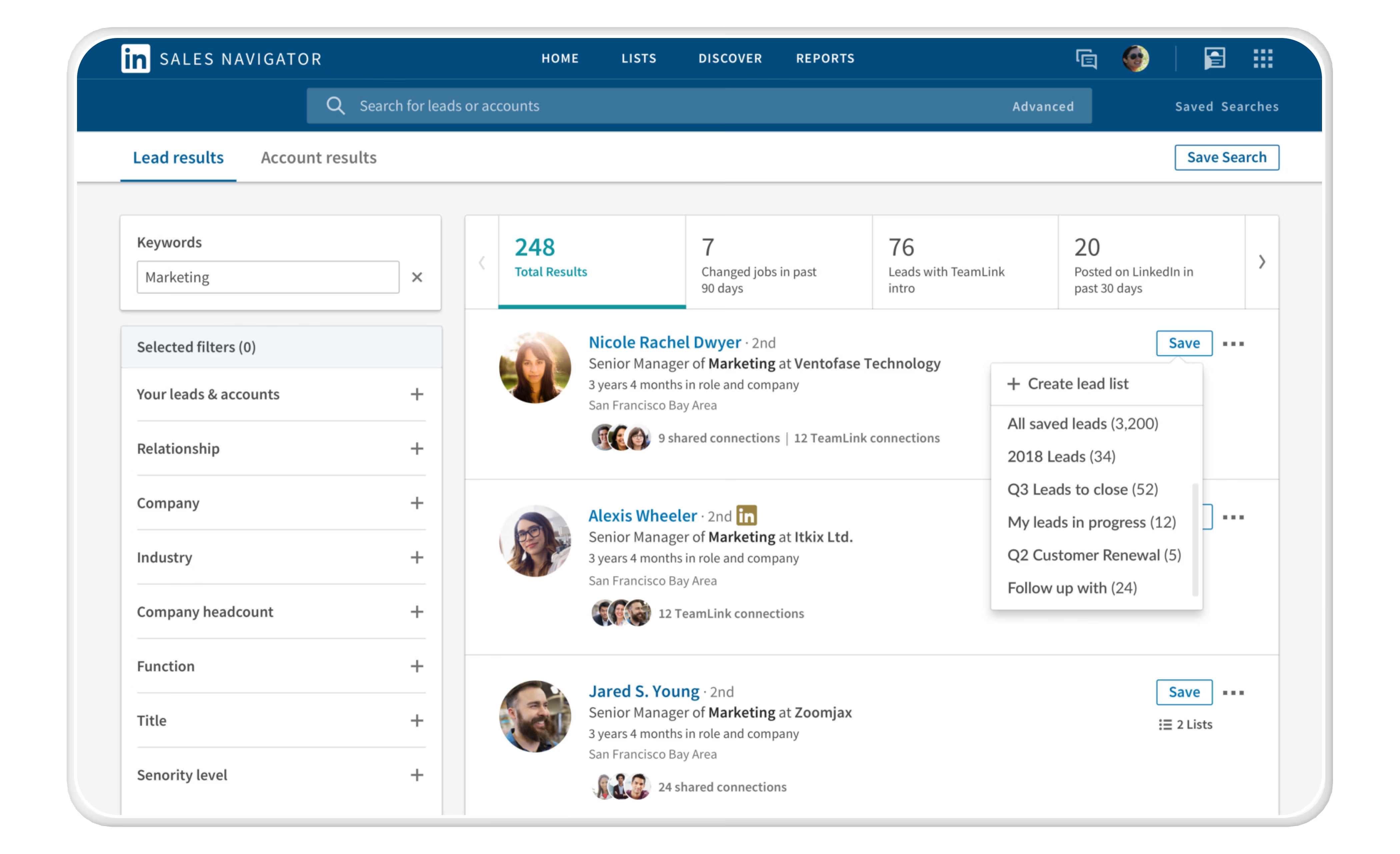
LinkedIn Sales Navigator enriches Salesforce records with social insights such as job changes, mutual connections, and relationship signals. In enterprise account strategies and ABM approaches, this integration helps reps map buying committees, track evolving contacts, and prioritise outreach based on in‑platform behaviour. Instead of toggling between systems, reps see relevant LinkedIn data directly in Salesforce pages.
This real‑time context supports multi‑threaded enterprise deals and accelerates stakeholder discovery, a critical advantage when cycles involve dozens of decision‑makers.
Key enterprise benefits
- Social‑informed account enrichment inside Salesforce
- Updates on prospect movements and organisational changes
- Supports deeper account mapping for ABM
Pricing (broad range)
Sales Navigator Team/Enterprise editions often range $100–$150/user/month, with Salesforce integration included.
Cons
Not all LinkedIn insights are relevant to every account, so teams must filter noise to focus on actionable signals.
7. Docusign
Secure, auditable contract execution
Overview
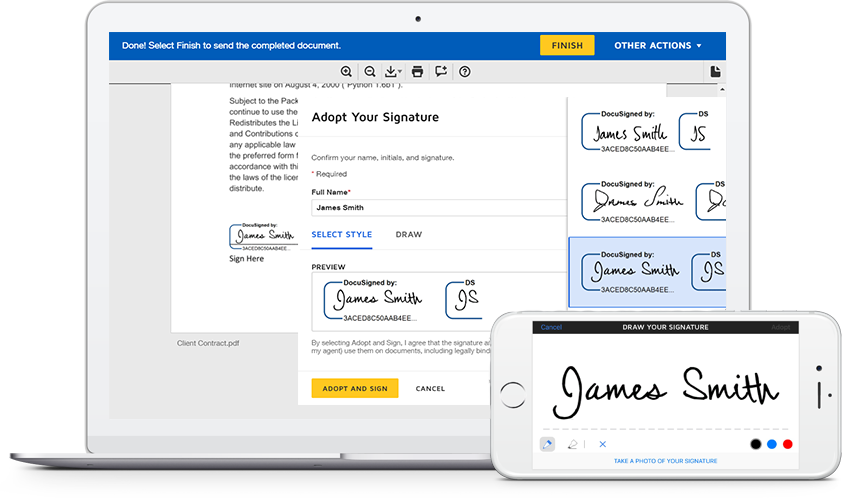
DocuSign’s Salesforce integration is a mainstay for enterprise organisations needing secure, compliant eSignature and contract workflows. Users can generate agreements from Salesforce records, send them for signature, track statuses, and automatically record executed documents back to the associated Opportunity or Account. Legal and finance teams benefit from robust audit trails, role‑based access, and compliance features.
By automating signature capture and document reconciliation, enterprise teams eliminate manual steps that traditionally delay deal closure.
Key enterprise benefits
- Enterprise‑grade signature capture with complete audit logs
- Integration with Salesforce workflows and automation
- Supports multi‑stage approval and compliance needs
Pricing (broad range)
DocuSign Business/Enterprise plans typically start near $15–$35/user/month; enterprise pricing is custom.
Cons
Advanced workflows (e.g., CLM) may require additional DocuSign modules or third‑party CLM solutions.
8. Seismic
Sales enablement at enterprise scale
Overview
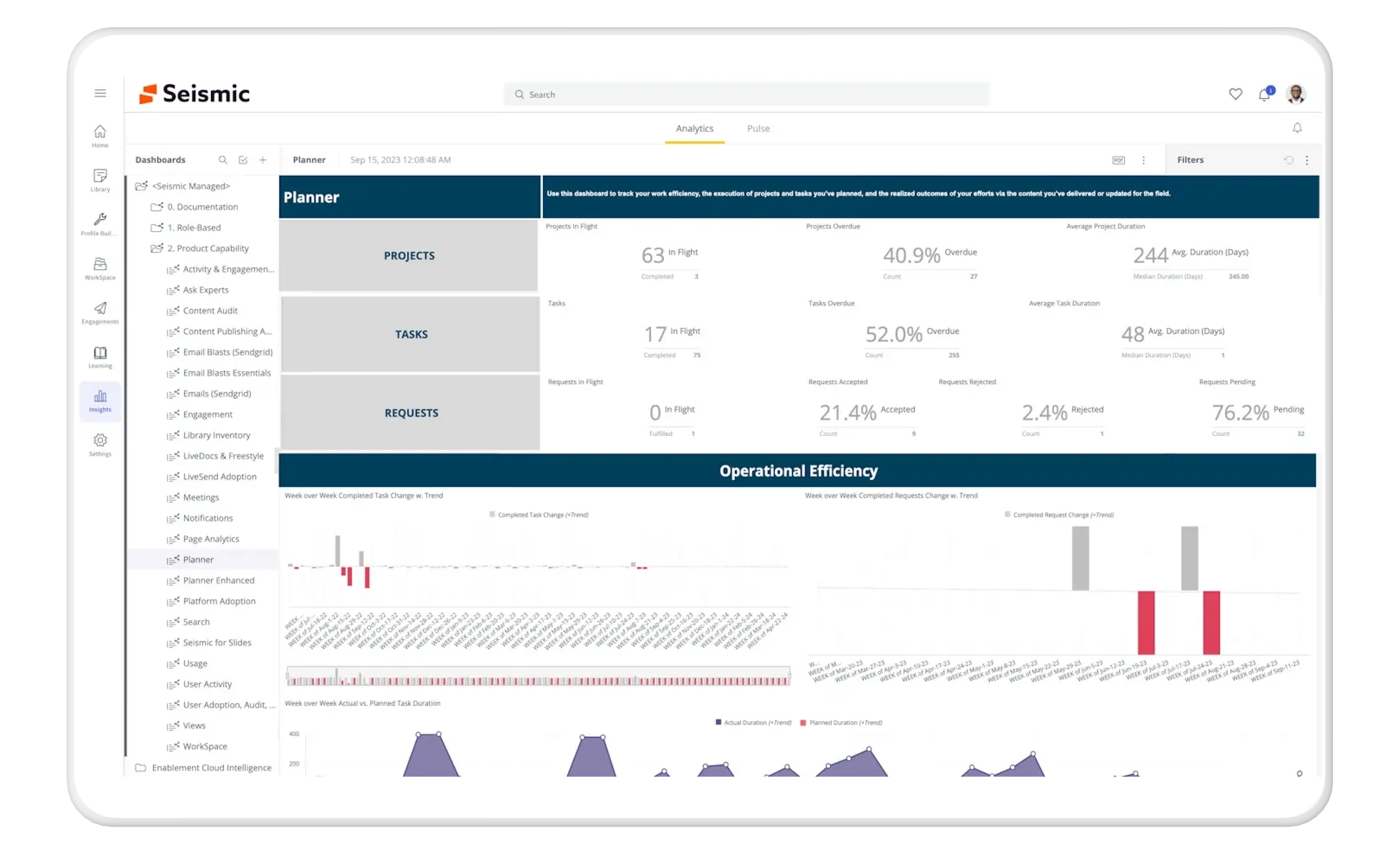
Seismic’s integration makes Salesforce a central hub for intelligent content delivery. Instead of reps hunting for PDFs or decks, Seismic presents the right assets directly in Salesforce based on Opportunity stage, persona, industry, and region. Enterprise marketers can enforce content governance while still allowing localised personalisation where needed.
Engagement analytics from content performance flow back into Salesforce, helping leaders understand which assets actually influence revenue outcomes - a key enterprise KPI.
Key enterprise benefits
- Context‑aware content surfaced inside Salesforce
- Centralised governance with localisation capabilities
- Content engagement analytics tied to pipeline
Pricing (broad range)
Seismic pricing is typically custom enterprise pricing, reflecting high governance and analytics capabilities.
Cons
Implementation can be complex and often requires dedicated enablement and operations resources.
9. Jira
Cross‑org alignment for delivery and support workflows
Overview
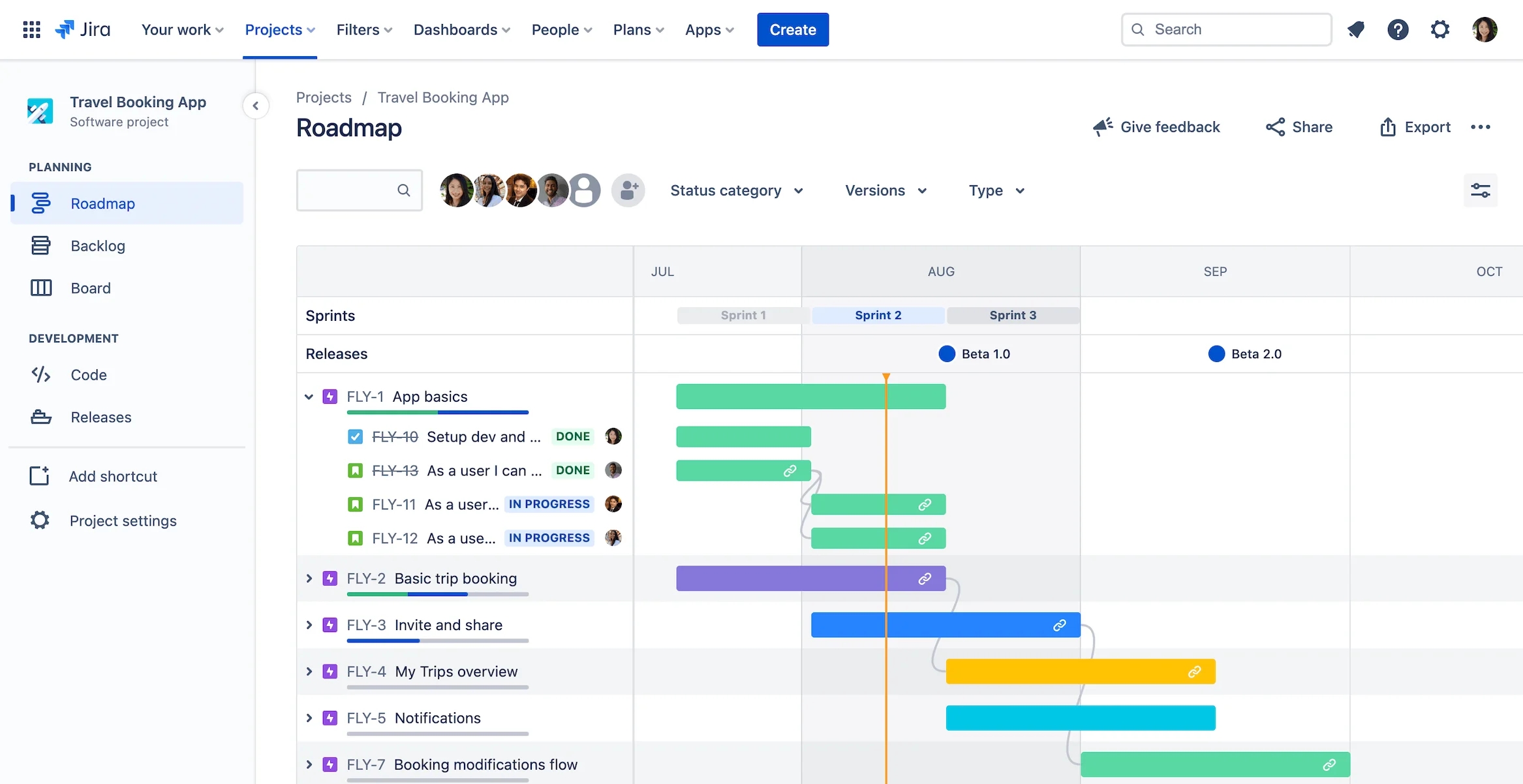
For enterprises where product delivery, implementation, or support intersects with sales, the Jira + Salesforce integration is critical. It synchronises issues, tickets, escalations, and engineering tasks with Salesforce records, giving sales and customer success teams visibility into technical progress without switching systems.
This alignment reduces delivery friction, clarifies expectations with customers, and ensures escalation paths are visible from the CRM side - especially important for global accounts with complex implementation requirements.
Key enterprise benefits
- Bi‑directional issue syncing between Salesforce and engineering workflows
- Clear visibility into delivery status for sales and CS
- Supports complex service and implementation lifecycles
Pricing (broad range)
Jira’s enterprise tier generally starts around $8–$15/user/month, with enterprise custom pricing based on scale.
Cons
Sync rules must be carefully configured to avoid ticket or status mismatches across systems.
10. Gong
Conversation intelligence integrated with pipeline data
Overview
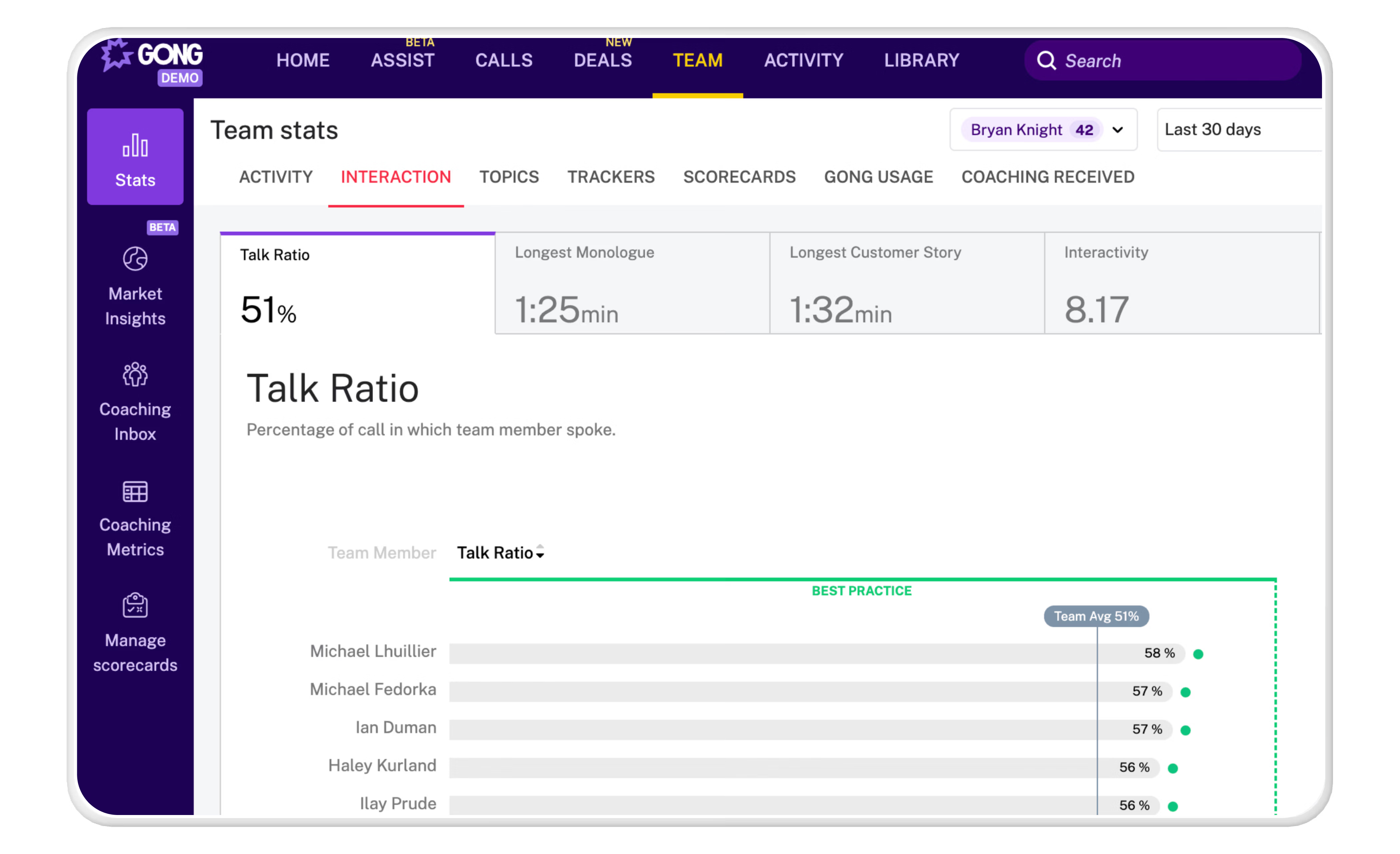
Gong’s Salesforce integration brings deep conversation intelligence into pipeline analytics. Calls, meetings, and email threads captured in Gong are tied back to Salesforce Opportunities, enabling RevOps and sales leadership to evaluate deal health with signals beyond activity counts. Stakeholder engagement, risk flags, and competitive mentions feed into forecasting models and coaching workflows.
In enterprise contexts, this integration sharpens visibility across global teams and helps identify trends that CRM fields alone cannot show.
Key enterprise benefits
- Conversation‑based deal signals tied to Opportunities
- Forecast refinements using engagement insights
- Enhanced coaching data inside Salesforce
Pricing (broad range)
Gong pricing is typically custom enterprise pricing, reflective of advanced analytics and scale.
Cons
Because Gong captures high volumes of data, enterprises must define signal filters to reduce noise in reporting.
11. Snowflake
Unified data platform for enterprise analytics
Overview
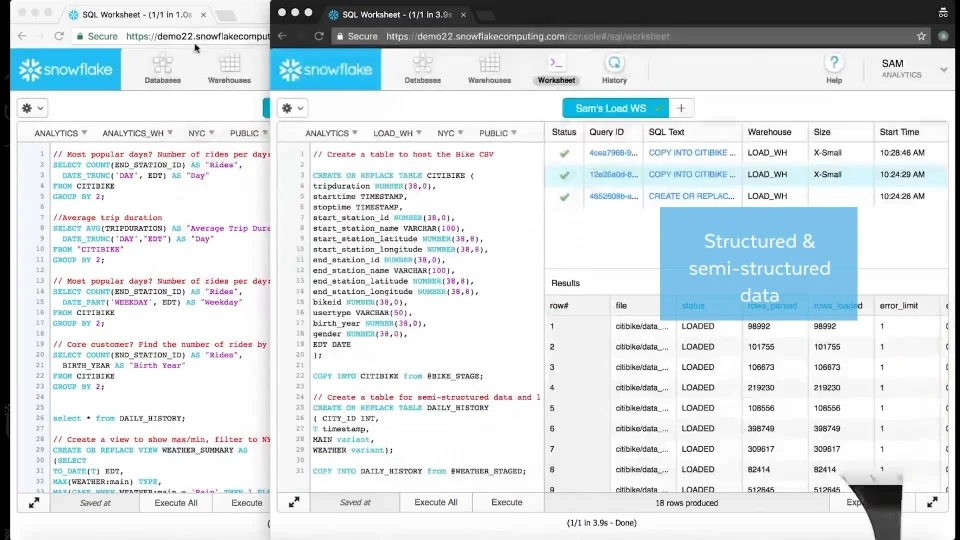
Snowflake’s integration pulls Salesforce data into a governed enterprise data warehouse, enabling cross‑system analytics, machine learning applications, and advanced business intelligence. Enterprises often combine CRM data with product usage, finance, billing, or operational datasets in Snowflake, creating a single source of truth for AI modeling and strategic planning.
Being able to query Salesforce CRM data alongside other business systems sets enterprise organisations up for deeper insights and cleaner governance.
Key enterprise benefits
- Unified analytics across Salesforce and external systems
- Supports AI modeling and predictive revenue analytics
- Centralised, governed enterprise data surface
Pricing (broad range)
Snowflake pricing starts around $2–$4/user/month, with a Virtual Private option.
Cons
Snowflake requires a mature data discipline and governance strategy to unlock enterprise value without cost overrun.
12. ServiceNow
Enterprise service alignment and customer lifecycle transparency
Overview
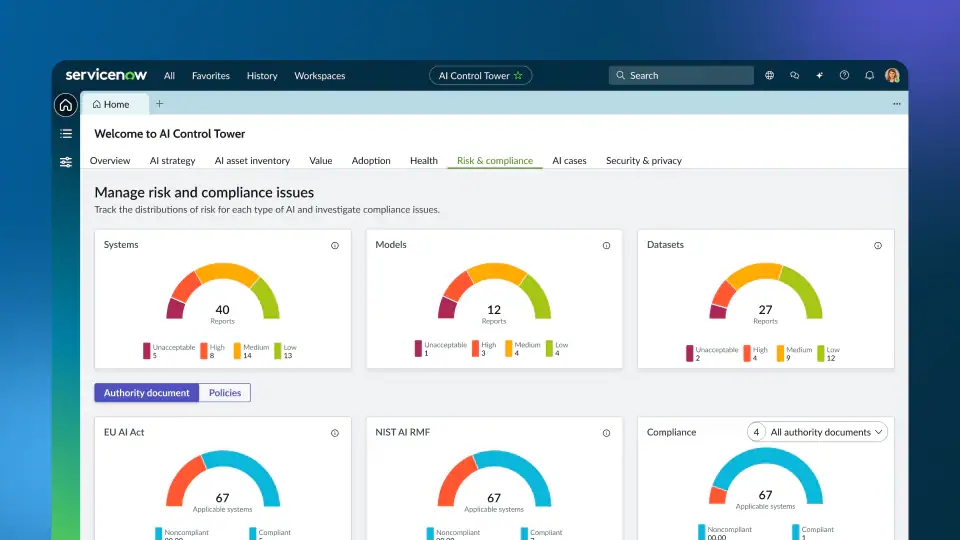
ServiceNow’s Salesforce integration helps organisations unify frontline service and post‑sale operations with CRM data. Cases, escalations, SLAs, and support histories synchronise with Salesforce so account teams can see service signals alongside revenue data. This is invaluable for CS leadership, renewal teams, and global support functions.
ServiceNow also supports workflow automation across departments - meaning that a support escalation can automatically trigger Salesforce alerts, SLAs, or case routing.
Key enterprise benefits
- Unified service and sales signals in one view
- Support SLA tracking tied to Salesforce accounts
- Better holistic customer lifecycle insights
Pricing (broad range)
ServiceNow enterprise subscriptions are typically custom-priced based on modules and scale.
Cons
Integrating complex service workflows with Salesforce can require careful architectural planning.

About the author

Brendan Connaughton|Head of Growth Marketing
Brendan heads up growth marketing and demand generation at Qwilr, overseeing performance marketing, SEO, and lifecycle initiatives. Brendan has been instrumental in developing go-to-market functions for a number of high-growth startups and challenger brands.